C#操作Excel四种主流方案:NPOI、EPPlus、OpenXml和Microsoft.Office.Interop.Excel
|
admin 2025年12月20日 11:26
本文热度 3440
2025年12月20日 11:26
本文热度 3440
|
在C#开发中,Excel文件操作是常见需求。本文对比四种主流方案:NPOI、EPPlus、OpenXml和Microsoft.Office.Interop.Excel,提供代码示例与选型建议
方案对比与选型建议
从表里可以看出NPOINPOI 是一个开源的 .NET 库,可以操作 Microsoft Office 文档,包括 Excel 文件。
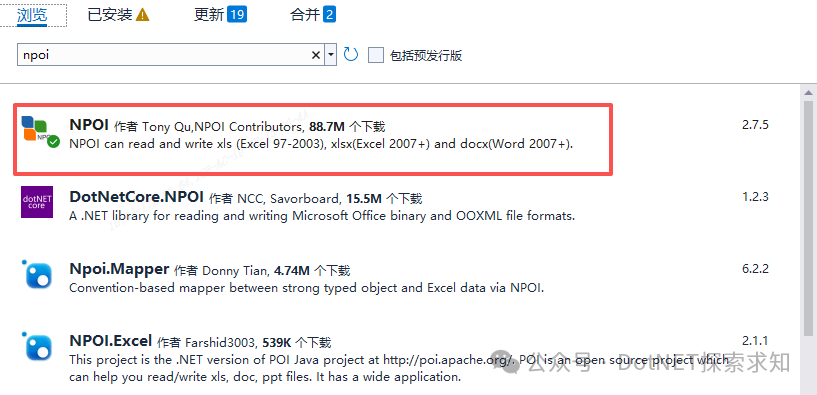
安装NPOI库
using NPOI.SS.UserModel;using NPOI.XSSF.UserModel;using NPOI.HSSF.Model;using NPOI.SS.Util;public static class ExcelHelper{ static readonly string fileName = "123.xls";
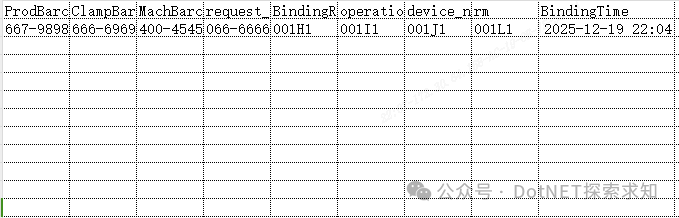
public static void ReadExcel(string filePath) { using (FileStream fs = new FileStream(filePath, FileMode.Open, FileAccess.Read)) { IWorkbook workbook = new XSSFWorkbook(fs); ISheet sheet = workbook.GetSheetAt(0); for (int rowIndex = 0; rowIndex <= sheet.LastRowNum; rowIndex++) { IRow row = sheet.GetRow(rowIndex); if (row != null) { for (int colIndex = 0; colIndex < row.LastCellNum; colIndex++) { ICell cell = row.GetCell(colIndex); if (cell != null) { } } } } } } public static void WriteExcel(string filePath) { IWorkbook workbook = new XSSFWorkbook(); ISheet sheet = workbook.CreateSheet("Sheet1"); IRow headerRow = sheet.CreateRow(0); headerRow.CreateCell(0).SetCellValue("ProdBarcode"); headerRow.CreateCell(1).SetCellValue("ClampBarcode"); headerRow.CreateCell(2).SetCellValue("MachBarcode"); headerRow.CreateCell(3).SetCellValue("request_id"); headerRow.CreateCell(4).SetCellValue("BindingResult"); headerRow.CreateCell(5).SetCellValue("operation_user"); headerRow.CreateCell(6).SetCellValue("device_no"); headerRow.CreateCell(7).SetCellValue("rm"); headerRow.CreateCell(8).SetCellValue("BindingTime"); IRow dataRow = sheet.CreateRow(1); dataRow.CreateCell(0).SetCellValue("667-98989898"); dataRow.CreateCell(1).SetCellValue("666-69696969"); dataRow.CreateCell(2).SetCellValue("400-45454545"); dataRow.CreateCell(3).SetCellValue("066-66666666"); dataRow.CreateCell(4).SetCellValue("001H1"); dataRow.CreateCell(5).SetCellValue("001I1"); dataRow.CreateCell(6).SetCellValue("001J1"); dataRow.CreateCell(7).SetCellValue("001L1"); dataRow.CreateCell(8).SetCellValue(DateTime.Now.ToString()); using (FileStream fs = new FileStream(filePath, FileMode.Create, FileAccess.Write)) { workbook.Write(fs); }
}}
private void Server_Load(object sender, EventArgs e){ ExcelHelper.WriteExcel("123.xls");}
总结:
本文只对Excel的简单读写的使用进行了说明,大家可以对读写方法重新加入参数,每次把要写入的数据当作参数传进去就可以了。以后大家可以根据自己需求对excel文件进行读写操作。
阅读原文:原文链接
该文章在 2025/12/22 18:51:01 编辑过






 400 186 1886